Every customer, and everything they did
Orders, offers, baskets and what a customer is worth, on one screen — searchable by name, email or company rather than by an id nobody knows.
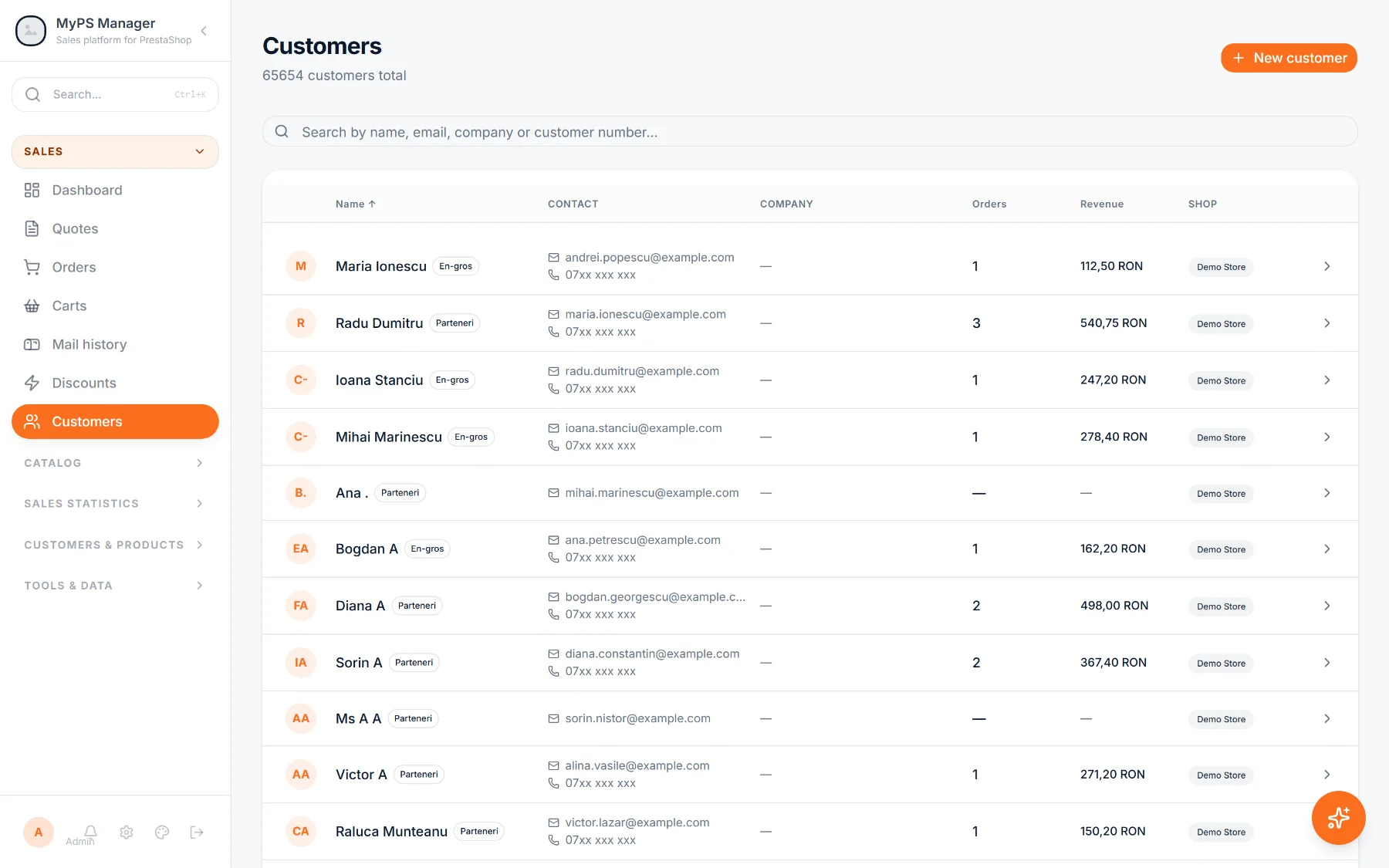
- Search the way people are called Name, email, company — not an id.
- One record, the whole history Orders, offers and baskets in one place.
- Worth, without the arithmetic Value and last activity on the row.
The record you wanted while the phone was ringing
Open a customer and the answer is there: what they bought, what you quoted, what they abandoned and what it all came to. No tab hunting while somebody waits.
- Orders with their status, and what each one was worth
- Offers sent to them, including the ones still open
- Baskets they left, with what was in them

“It’s about my order” — and that is all you get
No order number, a surname you half catch, and a shop that can only search by id. By the time you have found them you have asked three questions a customer should never be asked, and you still cannot see what else they have bought.
Somebody rings about an order they cannot name
A surname and a rough date is enough.
-
1
Type the part of the name you caught.
-
2
Open the record and read the last few orders.
-
3
Find the one they mean by date and value.
-
4
Answer, and if it helps, draft the replacement offer from the same screen.
More than a row in a table.
Everything a person did with your shop, in the order it happened.
Guests are people too
A shop fills up with orders placed without an account. They arrive here as records with the name from the address, not as a blank line you cannot search.
- Guest orders matched to a person by email
- The billing name used when the account has none
- Duplicates surfaced rather than silently merged
What a customer record holds
- Search on name, email, company or phone, including partial matches
- Orders with status, totals and where each one came from
- Offers sent to that customer, open and closed
- Abandoned baskets with their contents and value
- Lifetime value, order count and last activity
- The addresses the shop has for them
- Guest orders matched by email, not left anonymous
- A jump straight from the record to a new offer
Questions about this
Where does the customer data come from?
Your PrestaShop, on the same sync as everything else. Nothing is typed in twice and nothing is invented.
Can I edit a customer here?
Reading is the default. Writing back to the shop is a separate permission, and it is off until you turn it on.
What about customers who never made an account?
They arrive as records built from the order’s own details, so a guest order is searchable by the name on it.
Ready to see it on your own catalogue?
We set up an instance with your products, your prices and your VAT rates, and walk through it with you.